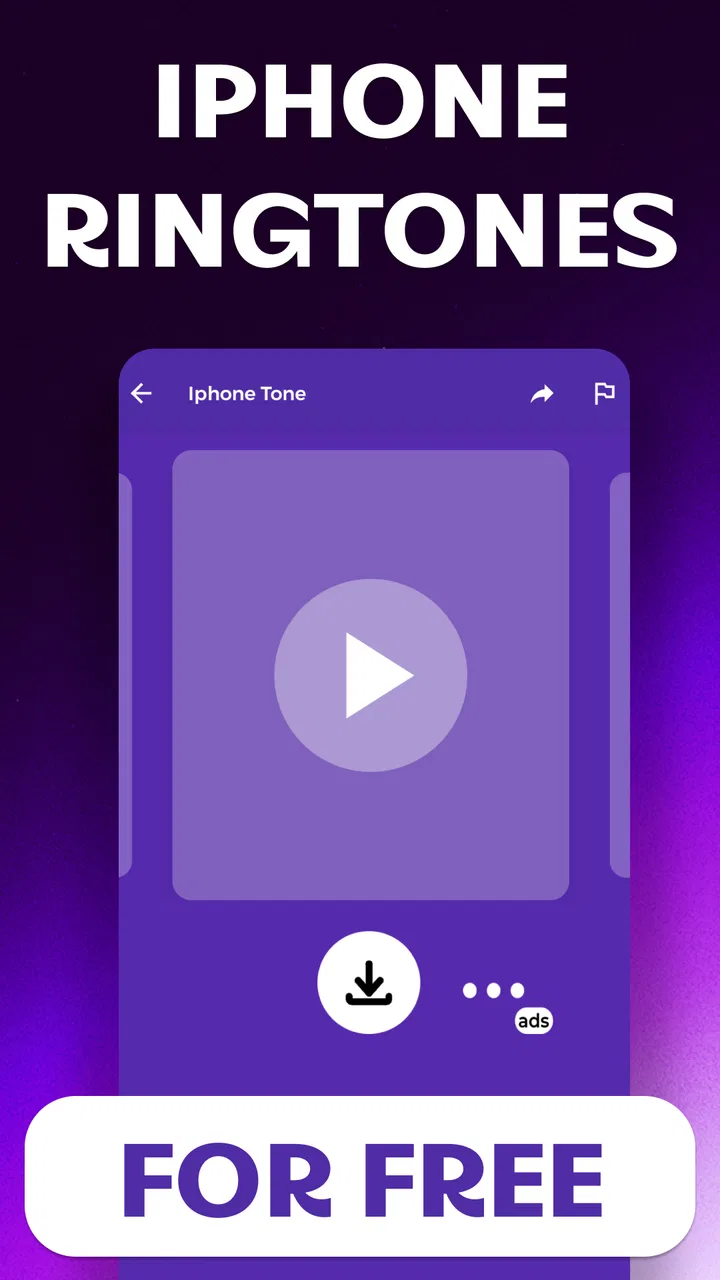
Phone Ringtones 2026
- 4.8
- Rating
- 10.00K
- Installs
- Free
- Price

 Analysis by App-foxy
I spent time with Phone Ringtones 2026 as a straightforward ringtone app from BeatBazaar, and my first impression was that it is aimed at people who want to refresh the sound of their phone without turning the task into a project. Its store short description is simply “Phone Ringtones,” while the longer summary focuses on making your ringtone more noticeable with tone-based selections. That narrow purpose is important: this is not an audio editor, music player, or full sound-management suite. It is a small library-style app built around choosing a different ringtone.
The app is free and rated for Everyone, which makes it easy to consider for a shared family tablet or a personal phone used by someone who does not want complicated controls. It has a 4.8 average from around 156 ratings and has passed 10,000 installs, so there is at least some visible user interest without making it feel like a massive, anonymous platform. I would describe it as a focused utility rather than an essential app: useful when you want a new alert sound quickly, but not something I would keep installed if I rarely change my phone’s audio settings.
What using Phone Ringtones 2026 feels like
I’ll start with the everyday experience of browsing and choosing a tone, then connect that simple task to the phone settings and habits that make the change stick. A useful way to judge any choice is to listen for a clear opening at a comfortable volume: that matters more for recognizing a call than a sound that is impressive only during a preview.
You May Also Like

 Blood Strike: 2.5 Anniversary
Blood Strike’s Loadouts Turn Every Drop Into a Tactical Gamble
A close look at Blood Strike’s custom loadouts: how fast access to signature weapons reshapes its battle royale rhythm, rewards preparation, and narrows the gap between fights.

 Pandora - Music & Podcasts
Pandora’s Music Is Easy to Start, but Harder to Recover
Pandora’s strength is its low-effort path from a seed to a station. Its weak spot is how much confidence it asks you to place in connection, setup, and quiet recovery.

 8 Ball Pool
 Is Built on Rivalries, Rematches, and Routine
A close look at the rivalries, rematches, shared routines, and unanswered safety questions that turn a quick pool match into a persistent mobile community.

 Samsung Music
’s Quiet Strength Is Playing What You Already Own
Its reach comes less from spectacle than from dependable access to a personal library. That simplicity is both the app’s strongest retention engine and its ceiling.

 AccuWeather: Weather Radar
AccuWeather Review: A Quick, Clear Forecast for Everyday Decisions
For everyday plans, the best forecast is the one you can understand quickly. AccuWeather makes rain timing, radar, and local conditions easy to act on, with a few trade-offs.

 Hill Climb Racing
Why Hill Climb Racing Still Turns Crashes Into One More Run
A tiny car, a bumpy hill and one more upgrade: Hill Climb Racing keeps resurfacing because its simple chaos makes every near-miss feel personal.
More From Our News Desk



A focused library instead of a creative audio tool
The biggest strength is its limited ambition. When I open an app like this, I do not want to learn a complicated sound editor or search through unrelated media. Phone Ringtones 2026 is positioned around ready-to-use tones, so the natural workflow is to browse, listen, choose, and decide whether a sound suits incoming calls. That makes it more approachable than a general audio application, especially for someone who is unfamiliar with trimming files or moving them into a system folder.
At the same time, the focused design creates a clear boundary. If you want to cut a favorite song down to a custom section, record your own sound, blend several clips, or manage a large personal audio collection, this is not the right category of tool. A dedicated ringtone maker or the built-in file manager will be a better match for those jobs. I would choose this app when convenience matters more than personal customization.
The name includes “2026,” but I would not treat that as a promise of a particular music trend, release schedule, or regularly updated catalog. The useful question is whether the available tones fit your taste and whether the selection process feels comfortable on your device. I found the app easier to judge as a quick sound library than as a constantly evolving entertainment service.
How I would use it in an everyday situation
Imagine that your phone currently uses the same default ringtone as everyone else in your home or workplace. You keep missing calls because the sound blends into the background, but you do not want a loud song or a complicated setup. This is where Phone Ringtones 2026 makes sense: I would open it during a quiet moment, preview several tones, and pick one with a clear rhythm that can be recognized from another room.
A useful habit is to test a selected tone at more than one volume before committing to it. A sound that seems pleasant through the phone speaker can become tiring when repeated throughout the day. I would also listen for a distinct opening rather than choosing only by the most attractive few seconds. For calls, the beginning matters because you may hear only a short portion before answering.
Another practical use is separating personal and work calls when the phone supports different contact sounds. I would choose a restrained tone for professional contacts and a more distinctive one for close family. The app itself should be viewed as the source of the sound, while the phone’s own contact and notification settings remain the place where those assignments are managed.
What the version and device requirements mean
The current version is 1.4, and the minimum operating system is Android 8.0. That gives the app a reasonably broad Android audience, including many phones that are no longer new. Before spending time browsing, I would still check the device’s available storage and sound settings, particularly on a phone with a heavily customized manufacturer interface. Android menus can differ considerably, so the final step of applying a ringtone may look different from one handset to another.
This distinction matters because a ringtone app can appear to work correctly while the phone continues using an older sound due to a system-level setting. If that happens, I would first check the default call ringtone, individual contact assignments, silent or vibrate modes, and any scheduled modes such as bedtime or work profiles. The problem may be in the phone’s audio rules rather than in the library itself.
Trust starts with what is visible
For a small utility that handles audio choices, I pay attention to how much control the user can see. I prefer an app where the purpose is obvious, the action is deliberate, and I am not pushed into creating an account just to preview a tone. Phone Ringtones 2026 is easiest to trust when I treat each screen as a decision point: browse only what I need, review any request shown by the operating system, and avoid granting access that does not make sense for the task.
I would not install it on autopilot simply because it is free. Free apps still deserve the same basic scrutiny as paid ones. Before continuing through setup, I would read every permission prompt rather than tapping through quickly. If a request appears, the sensible test is whether it directly supports selecting or applying audio. If it does not, I would deny it or stop and investigate instead of assuming it is necessary.
That cautious approach is especially useful with ringtone apps because the core job is simple. A user should be able to understand why an action is being requested. I value visible choices more than vague reassurance: clear buttons, understandable system dialogs, and the ability to back out are practical signs that the user remains in control.
Permissions and data-sensitive moments
I cannot recommend treating any app as automatically harmless just because it only appears to offer sounds. The sensitive moments are usually the transitions: first launch, downloading or saving a tone, setting it as a ringtone, and responding to Android permission prompts. I would slow down at each of those points and check what the phone is asking me to approve.
My rule is simple: a request should have a clear connection to the action I just selected. If I am saving a sound, I expect the operating system to explain the relevant storage or media access in its own language. If I am only browsing or previewing, I would be more cautious about granting anything unrelated to that activity. Android’s permission manager can also be reviewed later, which gives me a way to revisit choices instead of treating the first launch as irreversible.
Data-sensitive decisions also include notifications and background behavior. I would disable notifications that are not useful to me, particularly if they interrupt the day without helping me choose or manage ringtones. I would also check the app’s entry in Android settings after installation to see which controls the phone makes available. That is not a claim about what the app collects; it is a practical way for me to keep my own device settings understandable.
When an app offers a sound from an external source, I pay attention to the wording around downloads and saving. I want to know whether I am previewing an item or storing it locally, and I prefer not to approve several actions at once without reading them. This small pause prevents a common mistake: filling the phone with sounds that I never use and then forgetting which files came from where.
Keeping control after choosing a tone
One of the less obvious parts of the experience is that selecting a ringtone is not the same as managing every sound on the phone. Calls, messages, alarms, individual contacts, and app notifications can all have separate settings. After choosing a tone, I would make a short test call and then send a test message so I know which sound changed. That avoids the frustrating assumption that a new call tone has also changed notification alerts.
I also recommend keeping a small personal routine for reversibility. Before applying a new sound, note which default tone was active. If the new choice becomes annoying after a day, returning to the previous setting is much easier when you remember what it was. This is particularly helpful for people who experiment often or share a device with another family member.
For privacy-conscious users, the same principle applies to accounts. I would not create an account for a basic ringtone task unless the app clearly explains a benefit I actually need. If browsing and choosing can be done without one, avoiding unnecessary sign-in reduces the number of credentials and personal details involved in a simple activity. If a sign-in screen appears, I would read its purpose first rather than assuming it is required.
I would also keep the app updated through the normal store channel and check its current behavior after an update, especially if Android displays new permission choices. Version 1.4 is the current release, but the important habit is ongoing review: an app’s controls can change over time, and users should remain comfortable with what is enabled on their device.
Where it compares well with usual alternatives
The usual alternatives are the ringtone already included with Android, a file manager containing audio you own, a music app, or a ringtone editor. Phone Ringtones 2026 is more convenient than searching manually through folders because it is designed around tones rather than general files. That makes it a sensible choice for someone who wants a quick change and does not already have a suitable audio clip.
The built-in Android options remain better for users who care most about minimal installation and system integration. If the default collection already meets your needs, adding another app may not be worthwhile. A file manager is also preferable when you already have legally obtained audio and simply need to select it. In that situation, Phone Ringtones 2026 adds a browsing layer without solving the main problem.
A ringtone editor wins when the exact sound matters. If you want the chorus of a song, a short voice recording, or a precise fade-in, editing gives you control that a ready-made library cannot replace. I would not choose this app for a musician, podcast listener, or anyone building a carefully organized personal sound collection. Its appeal is speed and simplicity, not detailed production.
There is also a trade-off between discovery and predictability. A library app can help me find a tone I would not have chosen myself, while a local file gives me certainty about the source and content. For a child’s device or a phone used in a workplace, I would favor sounds that are easy to identify and unlikely to be embarrassing in public. The safest choice is often the least dramatic one.
Who should use it, and who should skip it
I think Phone Ringtones 2026 is a good fit for Android users who want a free, uncomplicated way to explore alternative call sounds. It is particularly suitable for someone who finds file management confusing, wants a more recognizable incoming-call tone, or is setting up a phone for a family member who prefers ready-made choices. The Everyone rating also makes its intended audience broad, although adults should still guide younger users through permission prompts and system settings.
I would skip it if you rarely change your ringtone, already have a well-organized audio library, or dislike installing single-purpose utilities. I would also look elsewhere if you expect advanced editing, cloud synchronization, detailed playlists, or a comprehensive control panel for every sound on the phone. Those expectations go beyond what this app’s narrow purpose suggests.
People who are especially careful about permissions should use a deliberate installation process rather than assuming the app is suitable without checking. Review the Android prompts, inspect the app’s settings after installation, and remove access that is not needed for your chosen workflow. That advice is not a criticism unique to BeatBazaar; it is the right standard for any app that interacts with media or device settings.
My cautious verdict
After using it as a focused ringtone library, I see Phone Ringtones 2026 as a practical option for quick sound discovery rather than a complete audio solution. Its free price removes the financial barrier, its Android 8.0 requirement keeps it accessible to many devices, and the strong average rating from around 156 ratings suggests that the basic idea has appealed to its early audience. BeatBazaar has kept the concept easy to understand: find a tone, decide whether it suits you, and use the phone’s own controls to finish the setup.
My recommendation comes with a condition: keep your expectations narrow and your permissions deliberate. Preview tones before applying them, test the result with a real call, and remember that Android’s sound modes may override your selection. I would also avoid treating a ringtone library as a substitute for an editor or file manager when you need precise control.
The best reason to try it is simple convenience, not a promise of limitless customization. If your goal is to replace a dull default sound with something easier to recognize, this app is worth considering. If your priority is maximum privacy control, complete audio ownership, or professional-level editing, start with the phone’s built-in settings or a tool designed specifically for those needs. Used with that clear understanding, Phone Ringtones 2026 can be a useful small addition rather than an app that takes over more of your phone experience than necessary.
FAQs for Phone Ringtones 2026
01What features does Phone Ringtones 2026 offer?
Phone Ringtones 2026 offers a wide variety of customizable ringtones, including classic tunes, modern hits, and unique sound effects. Users can preview and download their favorites, set different ringtones for contacts, and even create personalized tones using the app’s built-in editor. It’s designed for both Android and iOS users.
02Is Phone Ringtones 2026 free to use?
Yes, Phone Ringtones 2026 is free to download and use, with a wide range of ringtones available at no cost. However, it offers in-app purchases for premium ringtones and an ad-free experience. Users can choose to upgrade if they wish to access exclusive features.
03How user-friendly is the app's interface?
The interface of Phone Ringtones 2026 is highly user-friendly, designed with simplicity and ease of navigation in mind. The app categorizes ringtones by genre and popularity, allowing users to quickly find and set their desired tones. A search function also helps users locate specific sounds easily.
04Does Phone Ringtones 2026 require an internet connection?
Phone Ringtones 2026 requires an internet connection for downloading new ringtones and accessing updates. However, once a ringtone is downloaded, it can be used offline. This makes it convenient for users who may not always have internet access but still want to enjoy their selected tones.
05Is Phone Ringtones 2026 compatible with all devices?
Phone Ringtones 2026 is compatible with most Android and iOS devices. It supports a wide range of operating system versions, ensuring that users with older models can still enjoy its features. Users are advised to check the app’s compatibility with their device version before downloading.
Pros
- Extensive collection of ringtones.
- Easy-to-use interface.
- High-quality sound options.
- Regular updates with new tones.
- Customizable settings for alerts.
Cons
- Contains in-app ads.
- Limited free options.
- Requires internet for some features.
- Occasional crashes reported.
- No ringtone editing feature.

Phone Ringtones 2026
Gallery